One rm -rf with the wrong path, one DROP DATABASE in the wrong environment, and the damage is done the moment Enter is pressed.
SOSI has always recorded every session and logged every action. But however complete a recording is, it can only tell you what happened afterwards — the data is already gone, the service already down.
SOSI 2.3.0 moves the line of defence forward: stop the command before it reaches the host.
Graded by risk
Turn on “Dangerous command detection” in global settings and SOSI checks SSH/Telnet input in real time. When a rule matches, it acts on the rule’s level:
- Alert: the command runs, but it is logged and administrators are notified. For operations that are not necessarily wrong but worth knowing about, such as clearing shell history.
- Block: the command is not sent, the input line is cleared, and the session continues. For commands like
shutdownorchmod -R 777that are usually mistakes. - Disconnect: the session ends immediately. Reserved for commands that cannot be undone, such as
rm -rf,mkfsandDROP DATABASE.
Both typed and pasted input are checked, so pasting in a whole script does not slip past.
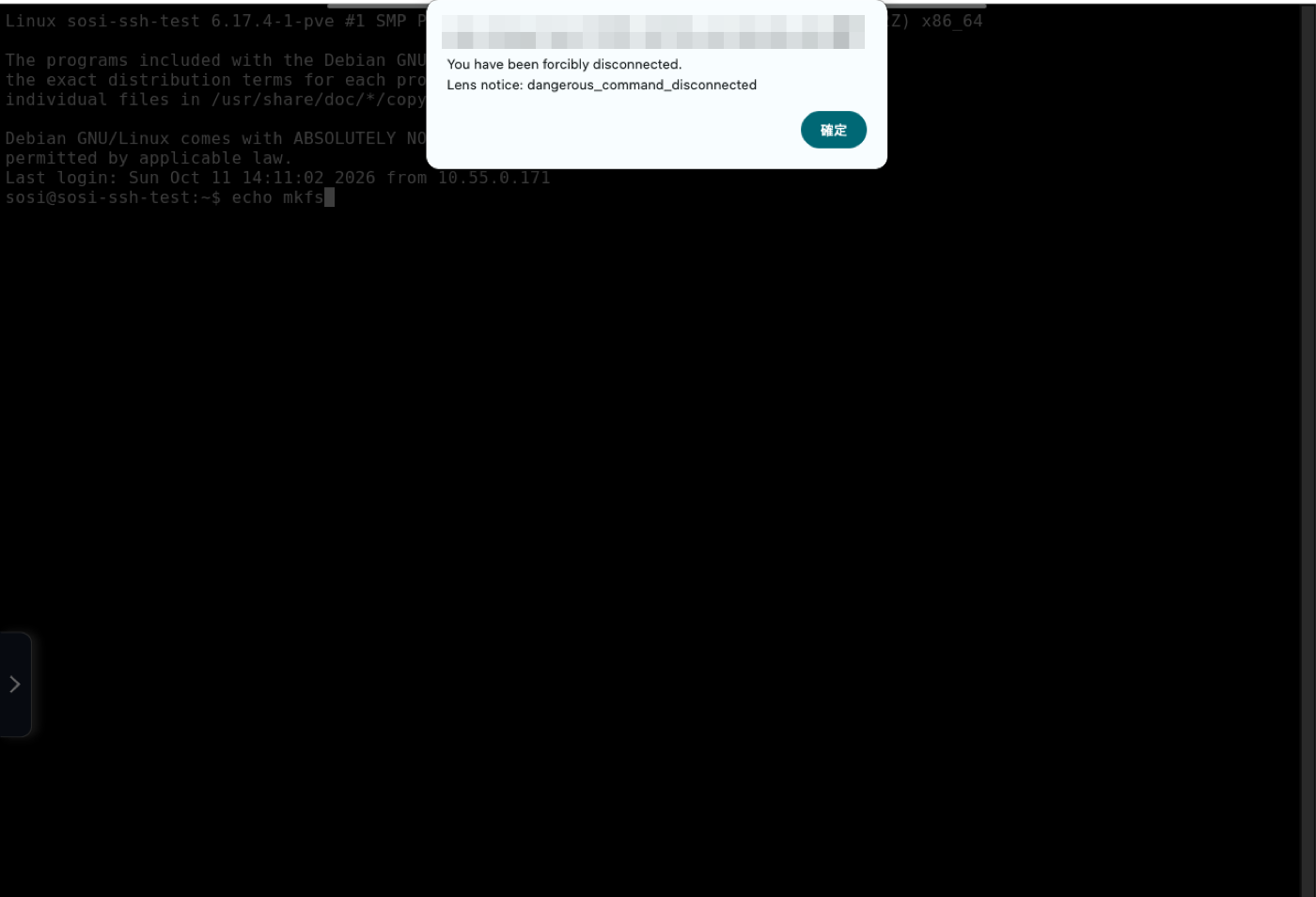
The user knows why
When a command is blocked or a session is cut, the user’s screen shows the reason. That matters: a user who is dropped without explanation will reconnect and try again; one who sees they hit a dangerous-command rule will stop and check.
You can also choose how a blocked line is cleared: by default SOSI sends Ctrl+E, Ctrl+U, clearing just that line without touching the running program; or use Ctrl+C to cancel multi-line input as well.
Every match is on record
The new dangerous command event log records each match: who, on which device, at what level, whether it was typed or pasted, and what was entered. Filter by user, device, level, source and time, and jump from an event to that session’s transcript to see the context.
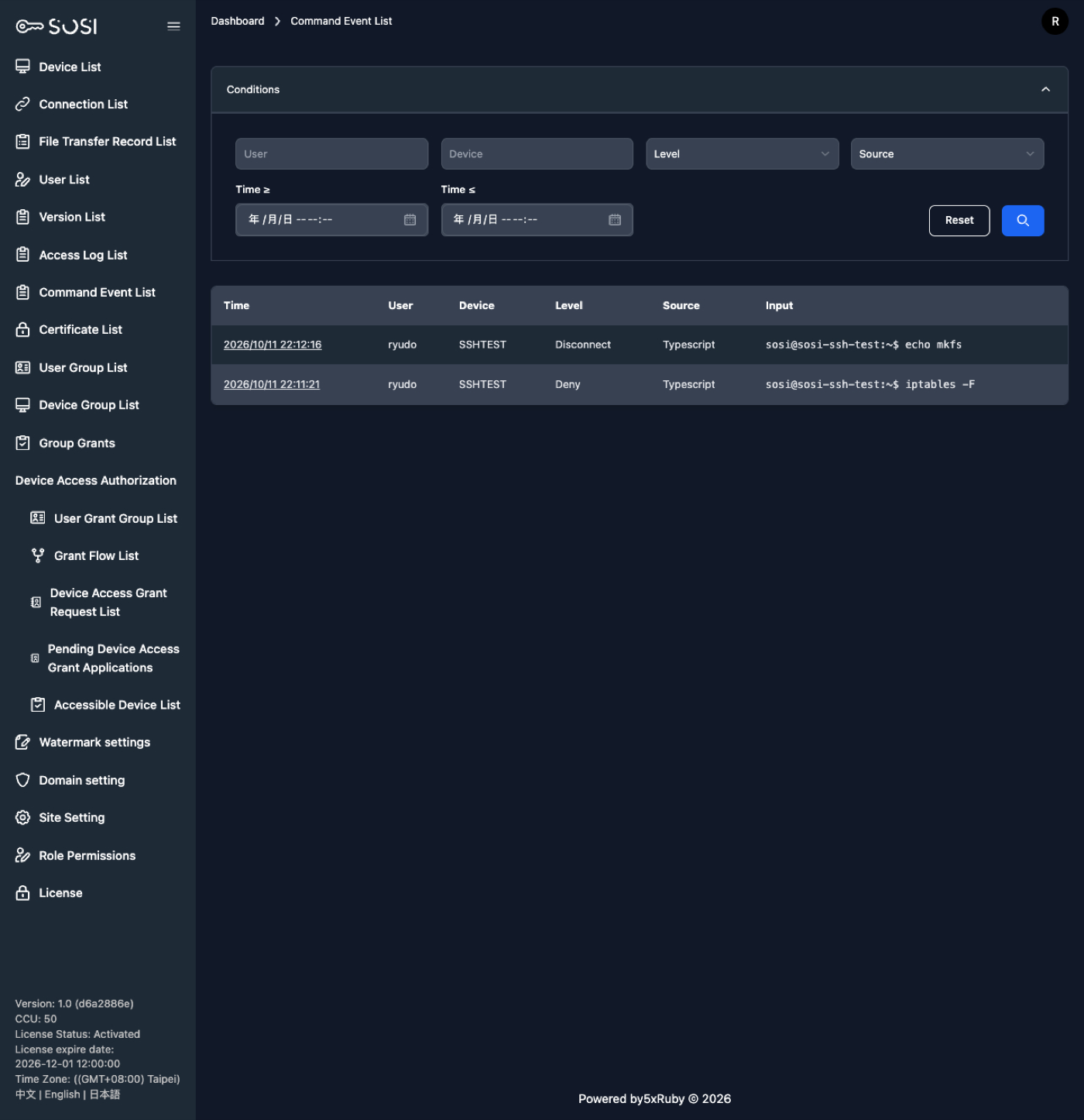
Passwords and other secrets in the input are masked automatically on display — an audit log should not become another place to leak credentials.
So that every event can be traced, enabling detection forces text session recording on for all SSH/Telnet devices. Per-device settings are left untouched and come back when detection is turned off.
Administrators know right away
When an event occurs, SOSI emails administrators and pops up a notice for those who are online. Notices carry only a summary; one click opens the event details.
Also in this release
- MCP Server: AI tools such as Claude Code can query and manage users, devices, groups and authorizations on your behalf over MCP. Tokens are issued from a page, expire, and can be revoked at any time.
- Forced password change and expiry: password policies now apply to database-authenticated accounts too.
- Configurable remote toolbar position and remote-side IME for RDP make remote work smoother.
- Real-time notifications now run on PostgreSQL, so deployments no longer need Redis.
For the full list of features and fixes, see the 2.3.0 release notes.