Secure Remote Access &
Privileged Access Management
Supports RDP / SSH / VNC / Telnet / SFTP — connect, monitor, and audit in one place
Architecture Overview
SOSI acts as a secure gateway between users and target devices — all connections are centrally managed
No software needed
Record · Audit · Control
Network Devices · Desktops
Five Core Modules
From connections and permissions to monitoring and compliance — complete enterprise remote access security
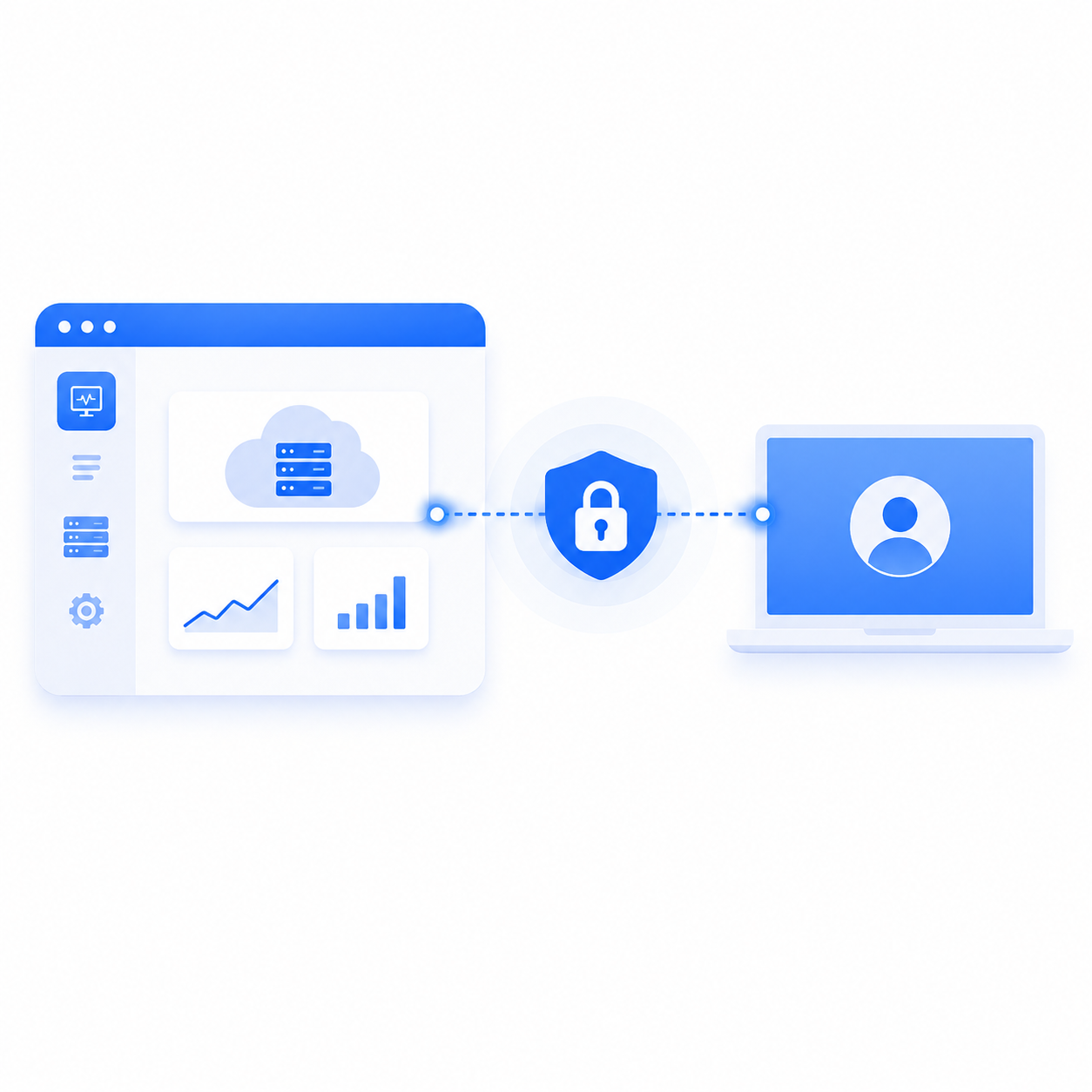
Secure Remote Access: Open a Browser, You're In Secure Remote Access: Open a Browser, You're In
Employees at home, engineers traveling, vendors offsite — how do they connect to your systems? Are you sure that connection is secure?
SOSI supports RDP, SSH, VNC, Telnet, and SFTP via browser. Credentials and keys are centrally encrypted and auto-injected at connection time — users never touch actual account or key contents.
Every protocol, in a browser
RDP, SSH, VNC, Telnet, and SFTP with no client to install — a browser is enough.
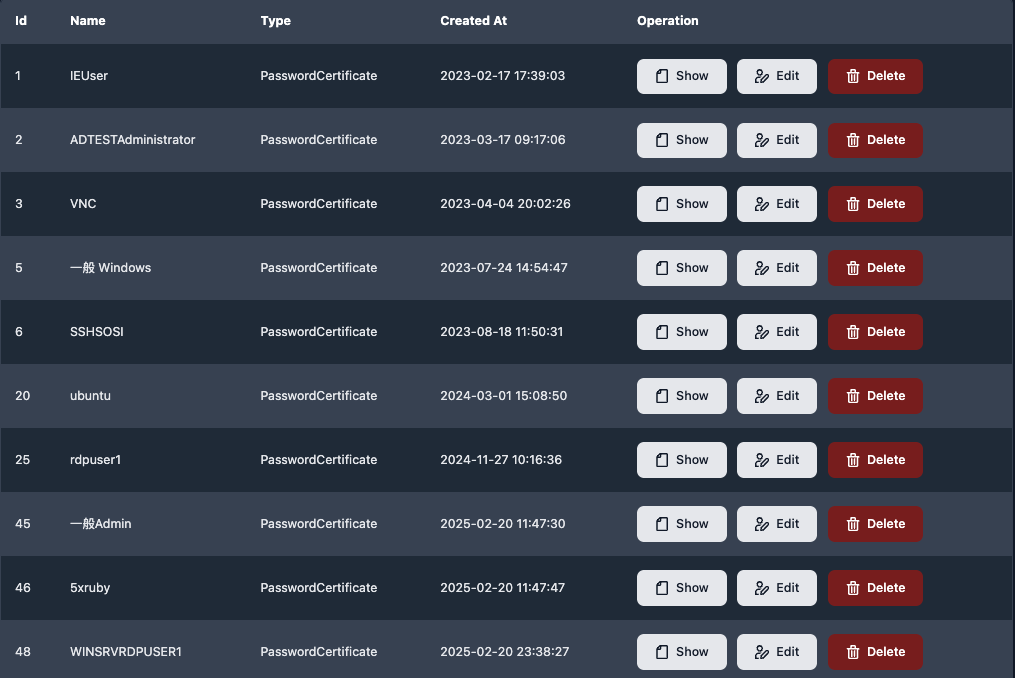
Central credential vault
Passwords and keys are stored encrypted and injected at connection time; users never see them.
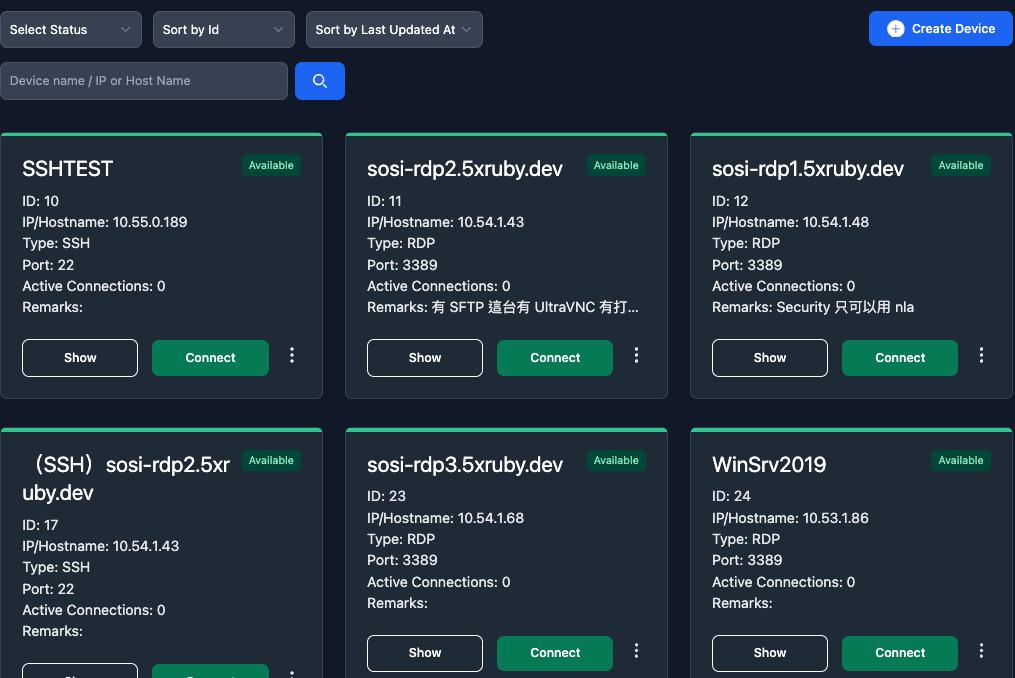
What connecting looks like
One click and the remote desktop opens in a browser tab — no extra software.
Access Governance: You Decide Who Gets In Access Governance: You Decide Who Gets In
Do you know how many people currently have connection access? Who approved it, and until when?
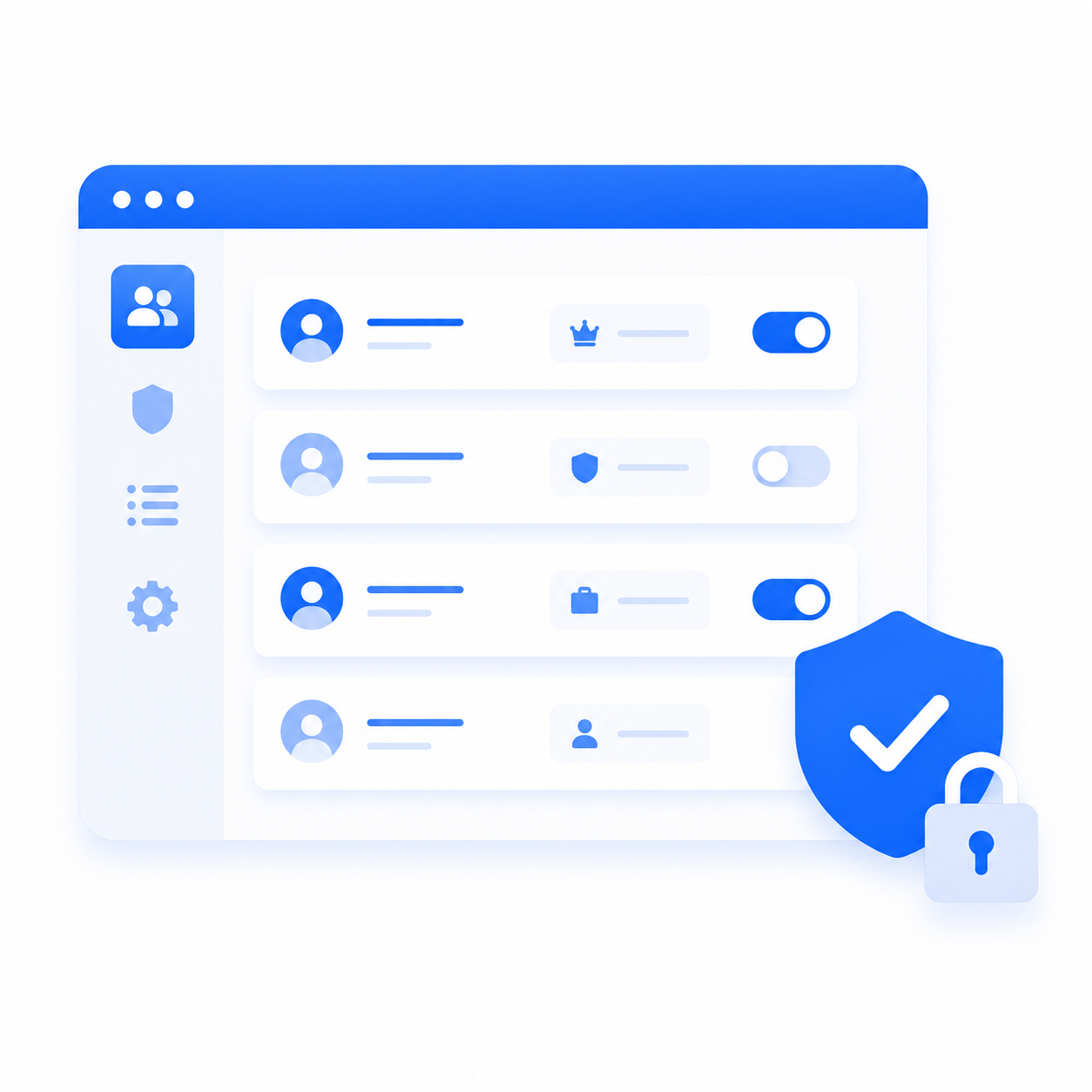
Every access grant in SOSI includes a request record and approval workflow. RBAC role management with time-limited access auto-revokes on expiry. LDAP/AD integration plus 2FA adds a second layer of defense.
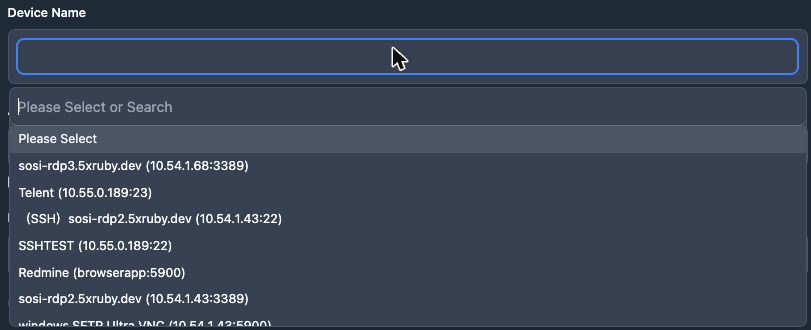
Device grants with time limits
Specify who may reach which device, over which date range and daily window; access expires on its own.
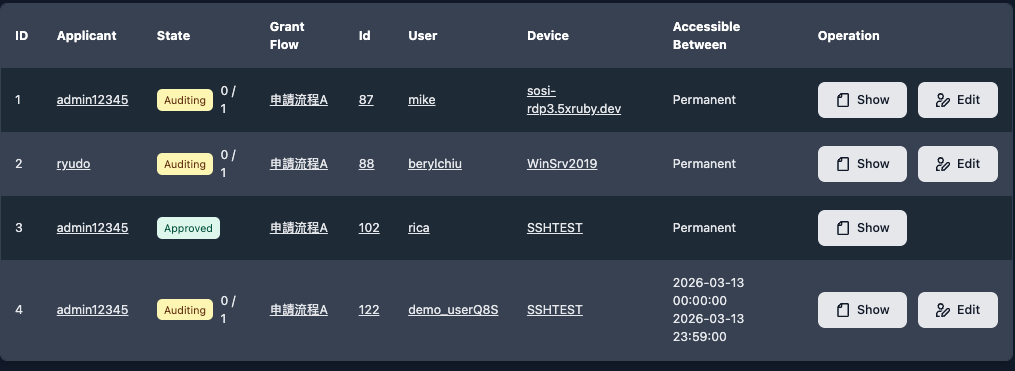
Request and approval workflow
Users request access online and a manager approves it, with a record of every step.
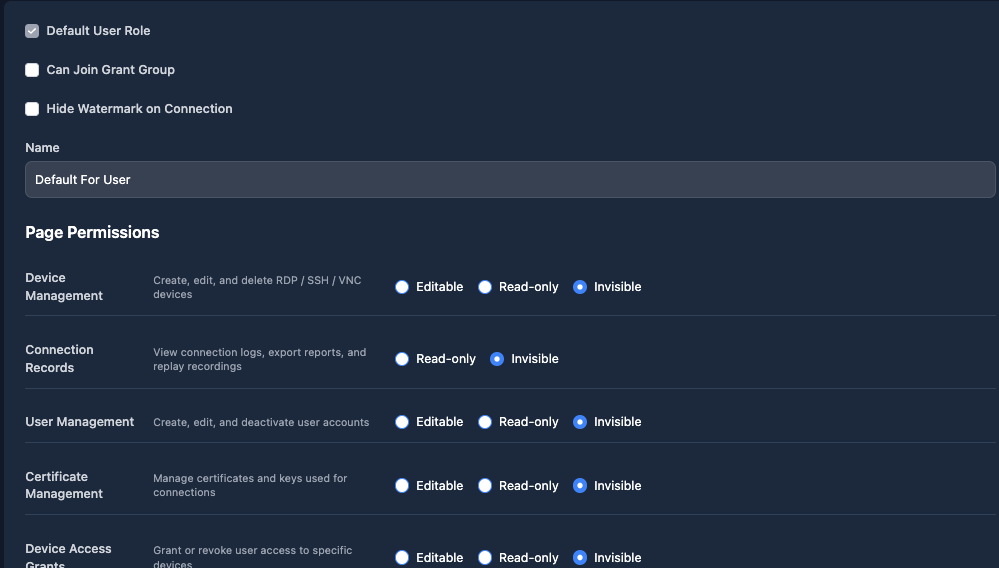
Role-based permissions
Each page is editable, read-only, or hidden per role — set once, applied to everyone in it.
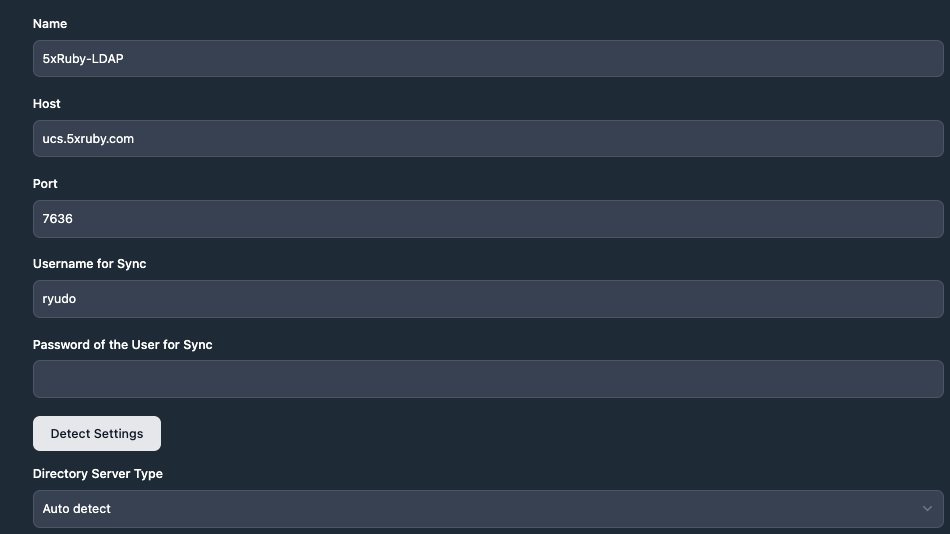
LDAP/AD integration
Enter the server and sync credentials and SOSI detects the rest; staff sign in with existing company accounts.
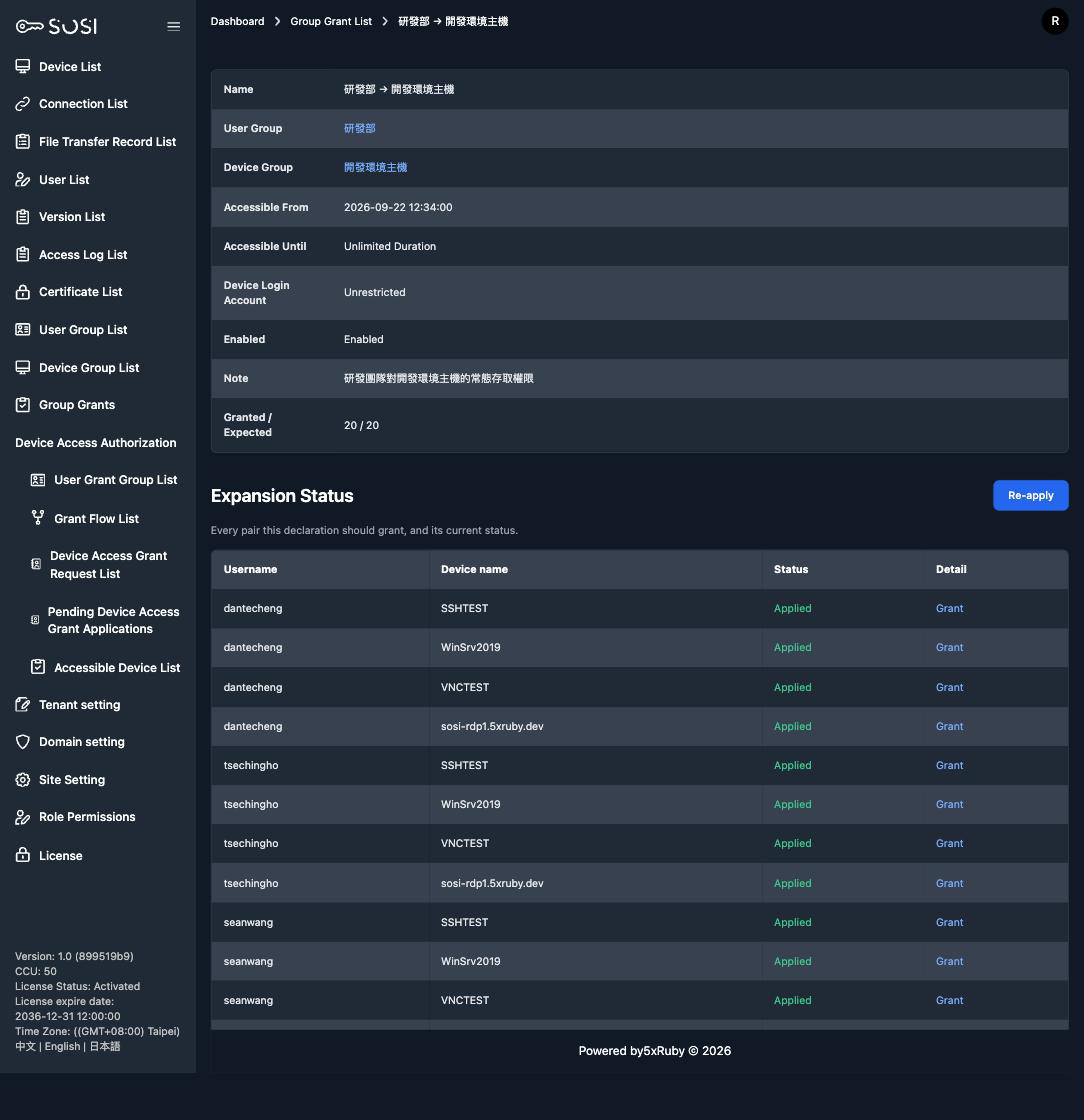
Group bulk authorization
Organize users and devices into groups, pair the two, and the whole set is authorized at once — membership changes follow automatically.
Session Monitoring & Recording: Real-time Oversight, Instant Disconnect Session Monitoring & Recording: Real-time Oversight, Instant Disconnect
When someone is online, can you see where they are and how long they've been connected?
SOSI's dashboard shows all active sessions — one click to force-disconnect any anomaly. Every session is recorded with keystroke logging and terminal text preserved. Replay instantly for investigations without relying on memory.
Live monitoring and force disconnect
The dashboard lists every active session; watch one live and cut it off in a single click.
Session replay
Every session is recorded and replays straight in the browser — no separate player.
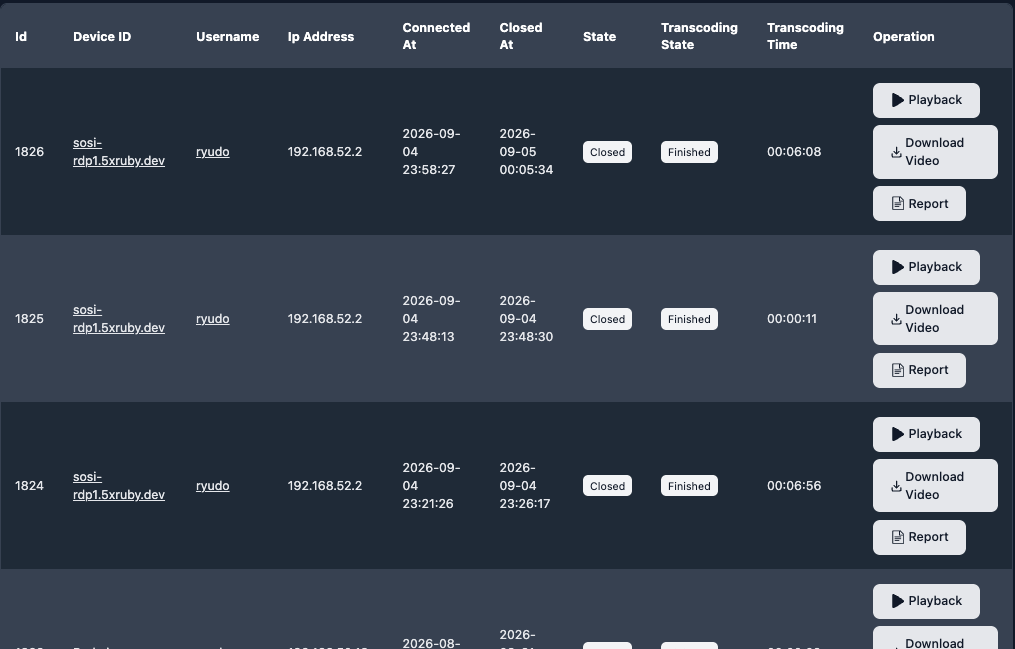
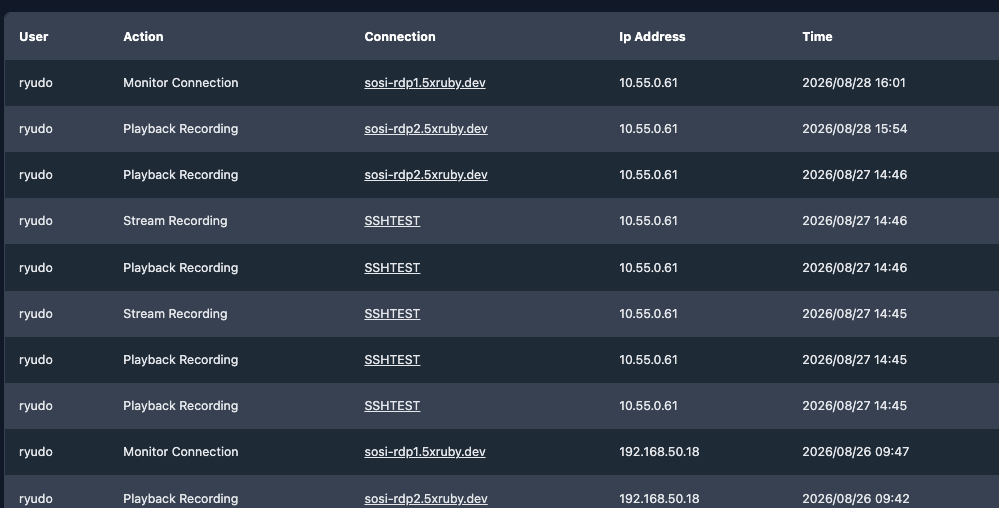
Access logging
Who watched, replayed, or downloaded a recording, and when, is recorded too.
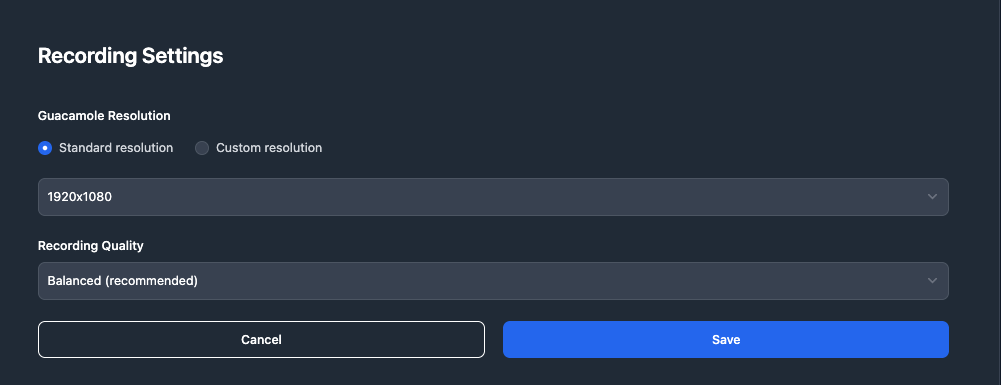
Tunable recording quality and size
Three recording quality levels plus automatic compression of raw recordings, so you set the balance between image quality and storage cost.

Audit & Compliance: Every Action Has a Trail Audit & Compliance: Every Action Has a Trail
Pursuing ISO 27001 certification? Are you ready to show auditors a complete access control record?
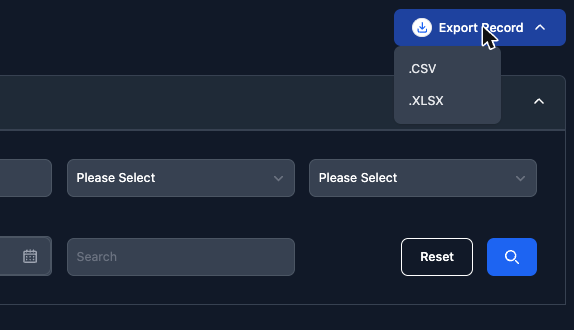
SOSI automatically logs all operations — audit trails, login records, and file transfers without exception. Watermarks embed account and IP to prevent screenshot leaks. One-click CSV/XLSX export means no last-minute scrambling for compliance.
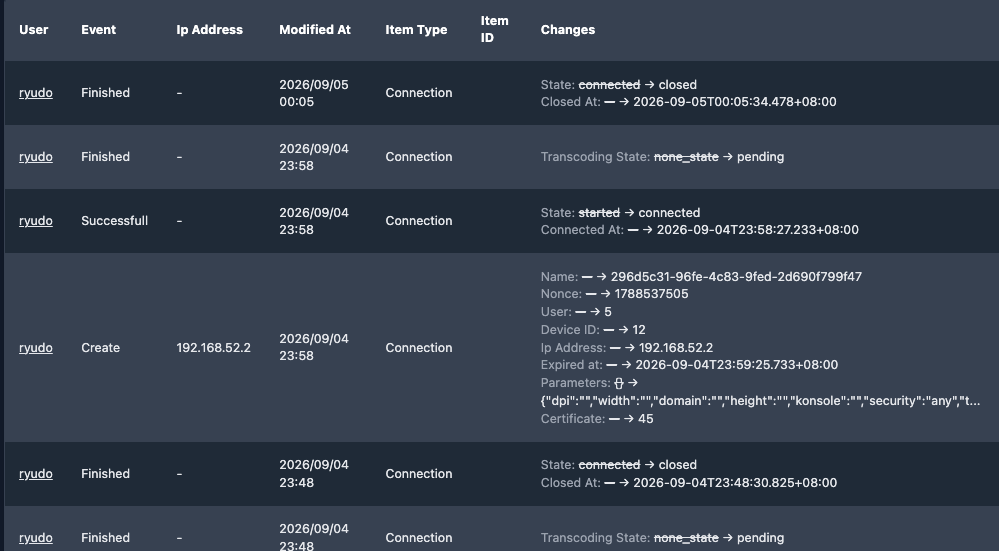
Field-level audit records
Every change records the actual before and after values, not just that something was modified.
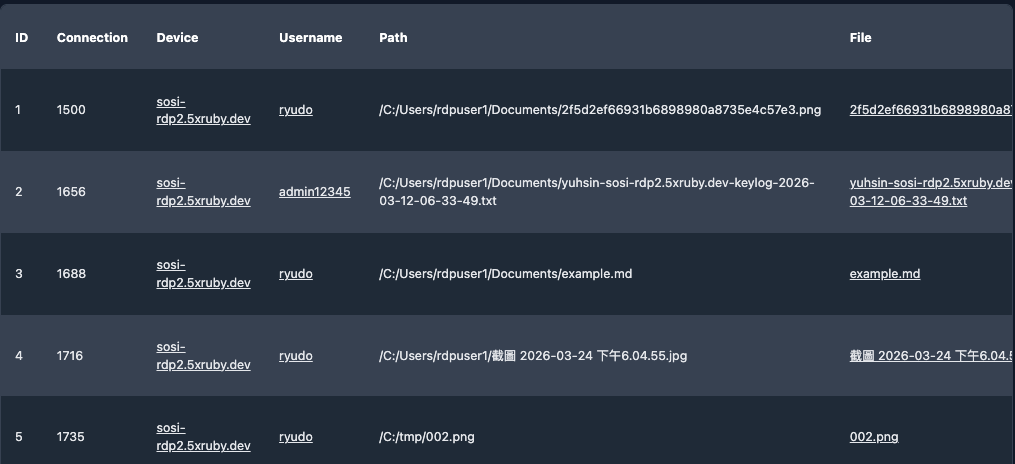
File transfer records
Every file moved over a session is logged and searchable by user and device.
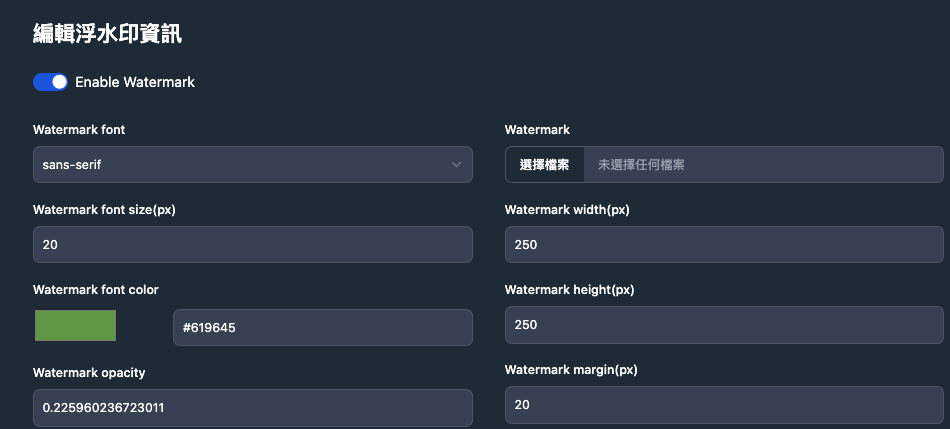
Watermarks against leaks
Sessions carry an account and IP watermark, waivable per role, with adjustable size and colour.
Report export
Every log exports to CSV or XLSX in one click — no scrambling when auditors ask.
Deployment & Management: Fast to Launch, Easy to Maintain Deployment & Management: Fast to Launch, Easy to Maintain
A hundred accounts — how many days does IT need to set them all up?
SOSI requires no agent installation and no changes to your existing environment — deployable in as little as one week. LDAP/AD auto-sync or bulk import lets employees log in with their existing company credentials.
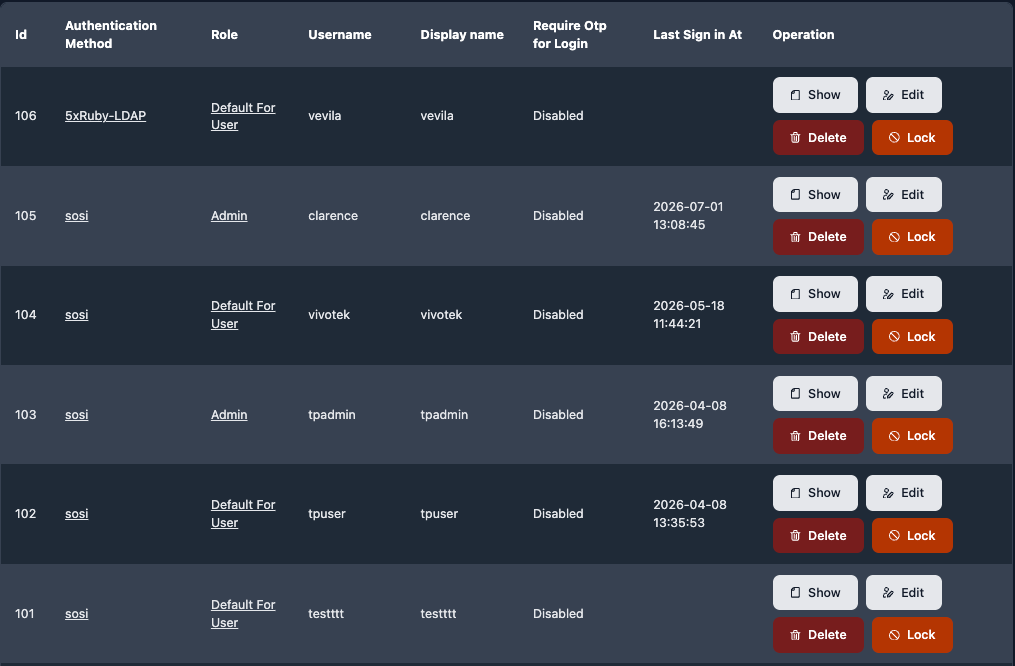
User management and sync
LDAP/AD auto-sync or bulk import: a hundred accounts without creating them one by one.
Central site settings
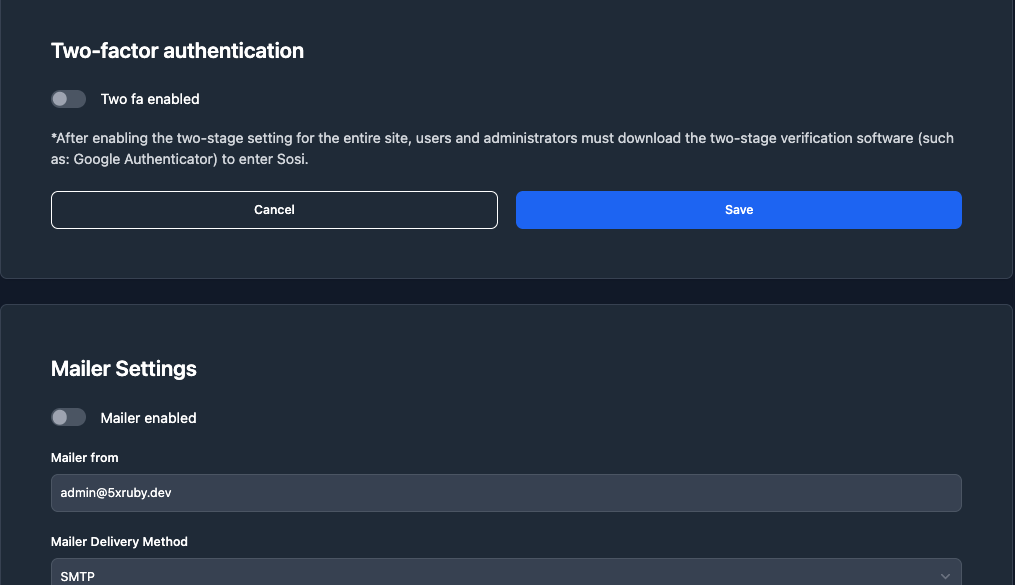
Two-factor authentication, mail notifications, logo, and recording parameters on one page.
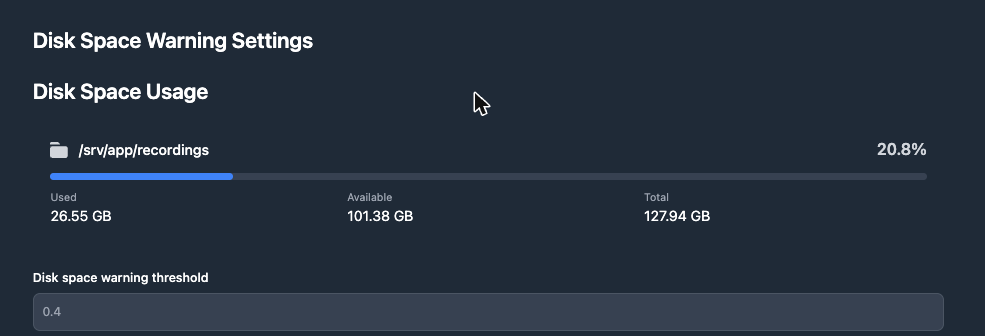
Disk usage monitoring
Used and remaining recording space at a glance, with a warning below your threshold.
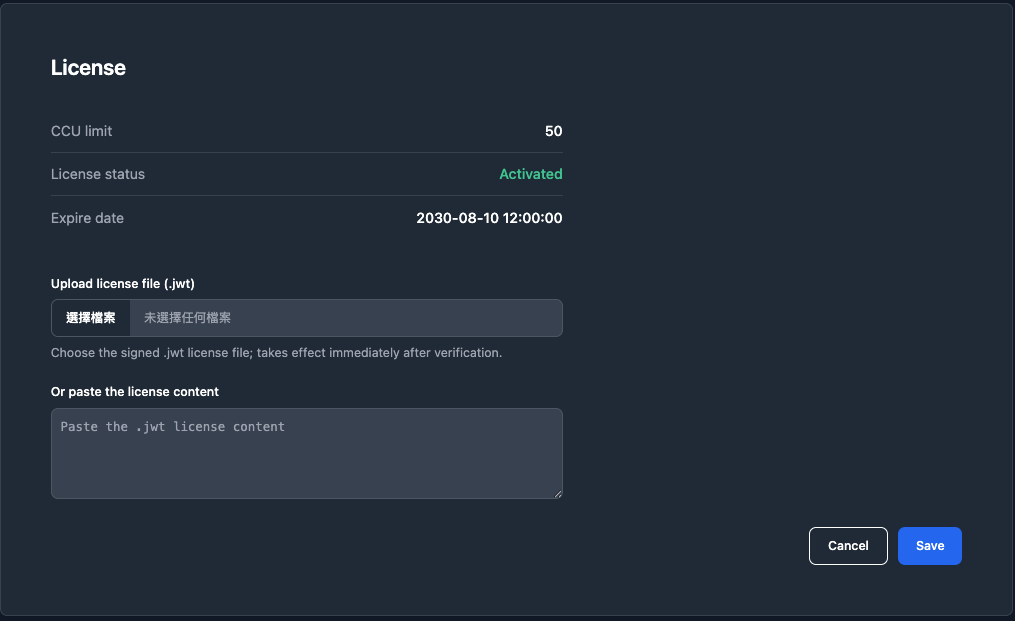
License management
Licence status, concurrent session count, and expiry date are always visible.
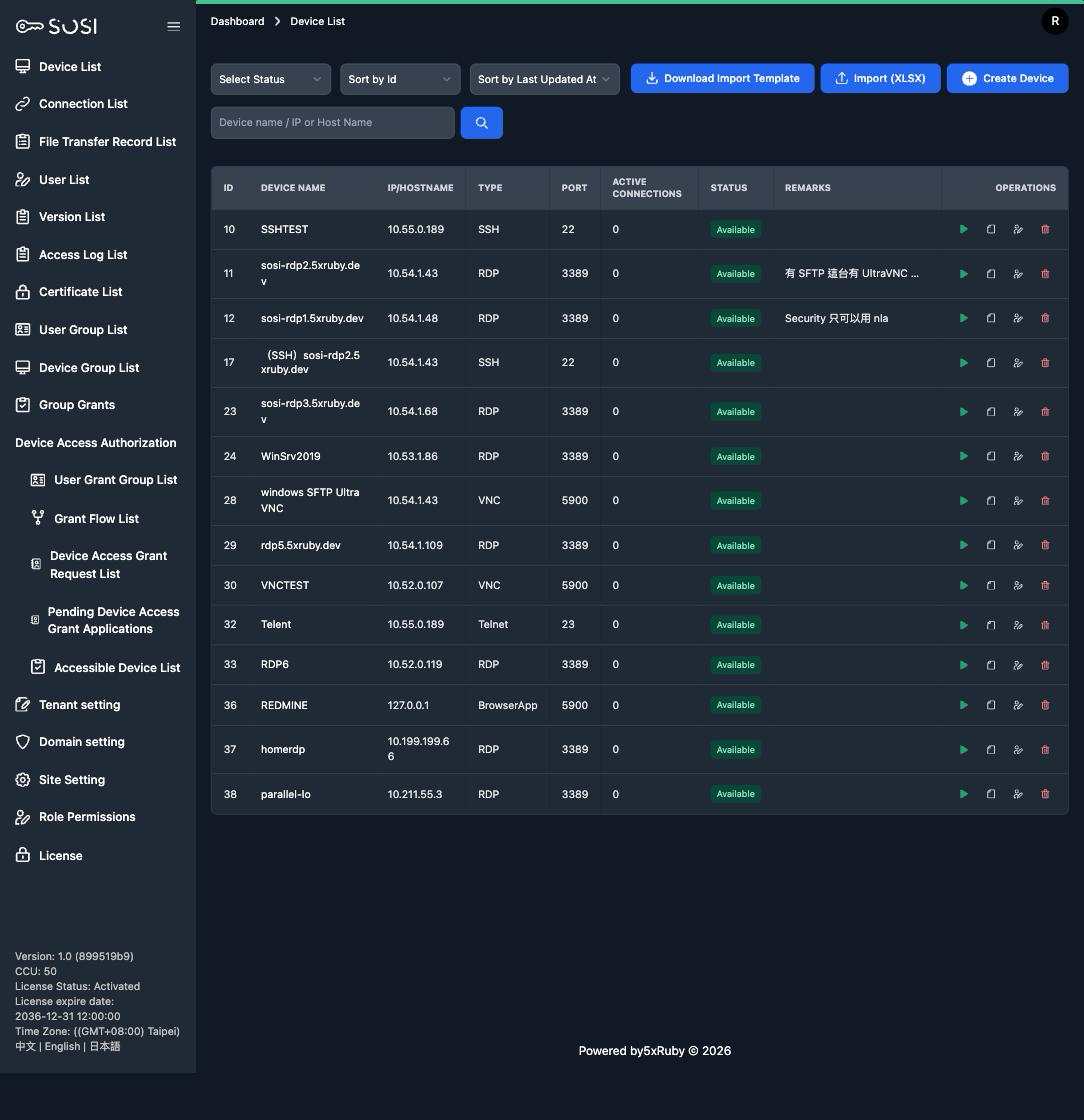
Bulk device import
Download the template, fill it in and upload: hundreds of devices created in one pass, with a note on every column. No more adding them one by one.
Customer Stories
Real experiences from enterprise customers across different industries
After adopting SOSI, our remote access management went from scattered to centralized. IT team efficiency improved by 40%, and our comprehensive session audit helped us pass ISO 27001 certification smoothly.
IT Director
Financial Sector Client
SOSI's approval workflows and time-based access control let us precisely manage vendor connection permissions. Full session recording means we can quickly trace any issues.
IT Manager
Manufacturing Sector Client
Very practical for a small business like ours. No additional hardware needed — manage all remote connections securely through a browser. Greatly reduced our implementation costs.
CTO
Education Sector Client
5 Steps to Start
Leave your info on our website and we'll reach out soon.
We'll suggest order quantities based on your requirements.
We'll prepare a quote based on your seat count.
Sign the purchasing agreement.
Access SOSI within a week and enjoy!
Ready to Upgrade Your Remote Access Management?
Book a free Demo and let our consultants show you how SOSI solves your management challenges