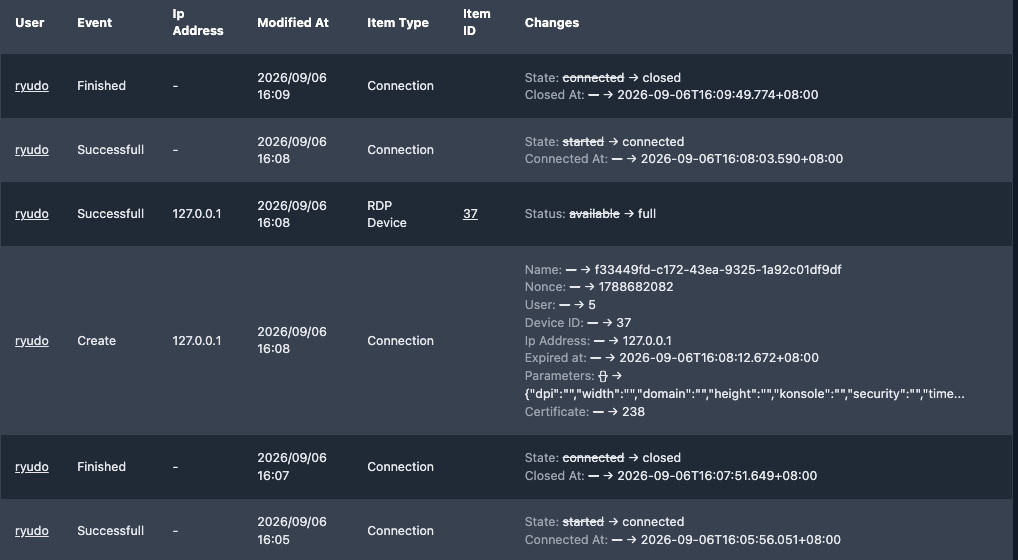
This is the first release since SOSI adopted formal version numbering, and it covers roughly two months of changes. Each new feature below comes with a screenshot and how to use it.
New features
LDAP/AD self-service password changes
Users can change their own directory password and are warned before it expires, so they no longer need an administrator to do it for them.
How to use it: sign in with an LDAP/AD account, open the user menu in the top right, go to the profile page, and choose to change the password. SOSI warns the user at sign-in as expiry approaches and can send an email notification if mail is configured. The option appears only for users who sign in through LDAP/AD.
Access logging
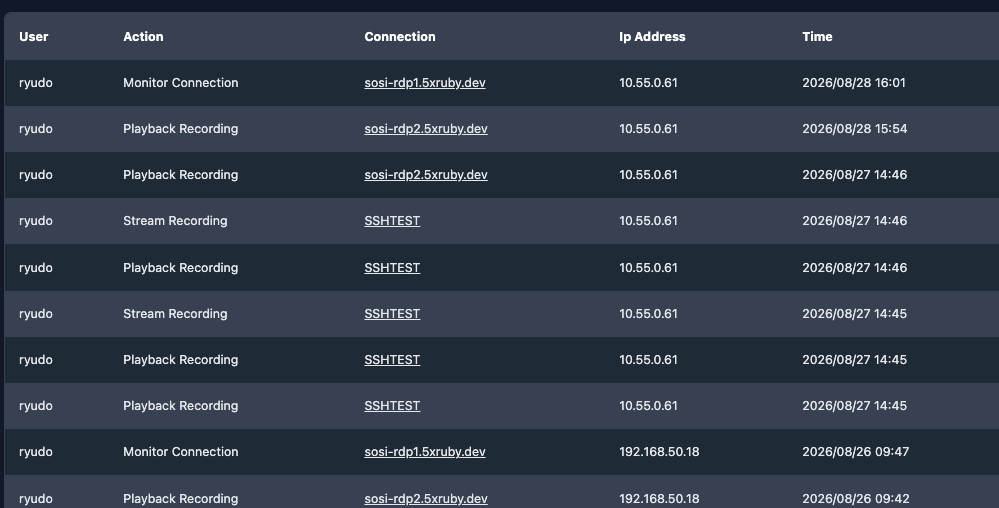
SOSI now records who watched, replayed, or downloaded a session recording, and when — bringing access to the recordings themselves under the same controls.
How to use it: open "Access Log List" in the sidebar. Filter by user, IP address, action (monitor connection / playback recording / stream recording) and time range; export the result from the button in the top right.
Field-level detail in audit records
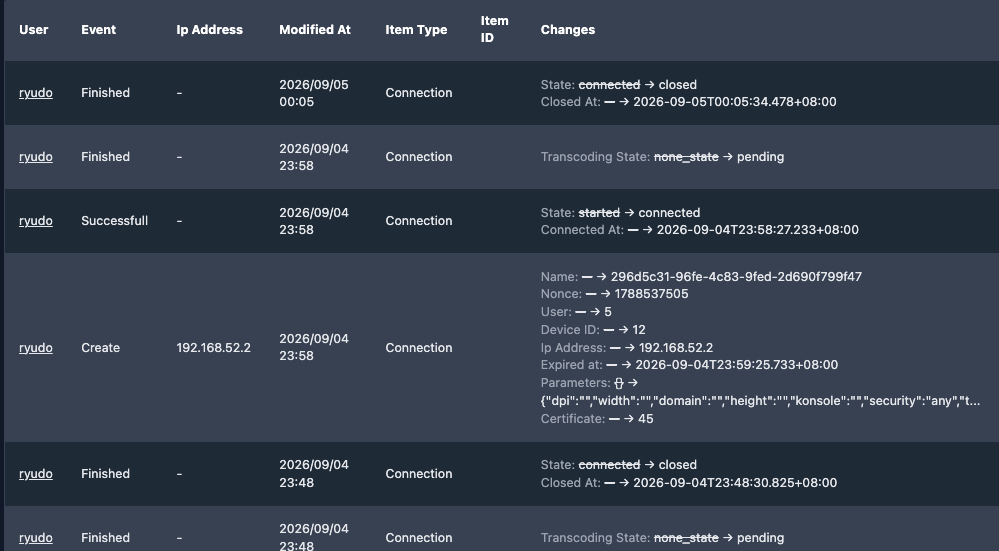
Audit entries now show the specific before and after values of each change, instead of only telling you that something was modified.
How to use it: open "Version List" in the sidebar. The Changes column strikes through the old value and shows the new one after an arrow. Filter by user, event, item type, and time, and export a report.
Semi-automatic LDAP/AD configuration
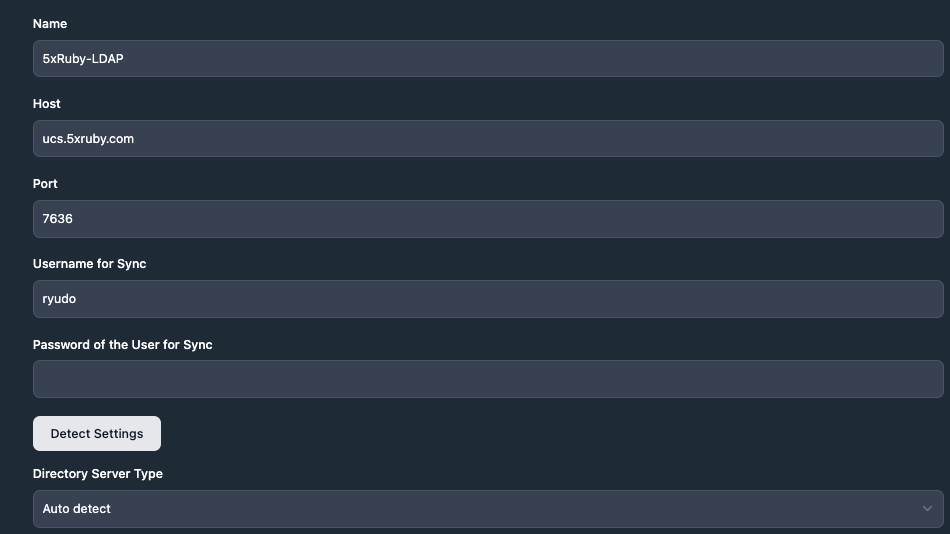
Enter the server address and sync credentials and SOSI proposes a complete configuration, cutting out most of the manual entry and trial and error.
How to use it: go to "Domain setting" in the sidebar, create or edit an LDAP domain, fill in the host, port, and sync credentials, then press "Detect Settings". SOSI determines the directory server type and fills in the Base DN, Bind DN, and attribute names for you; tick the groups you want to sync and the user filter is generated.
Clearer disk usage
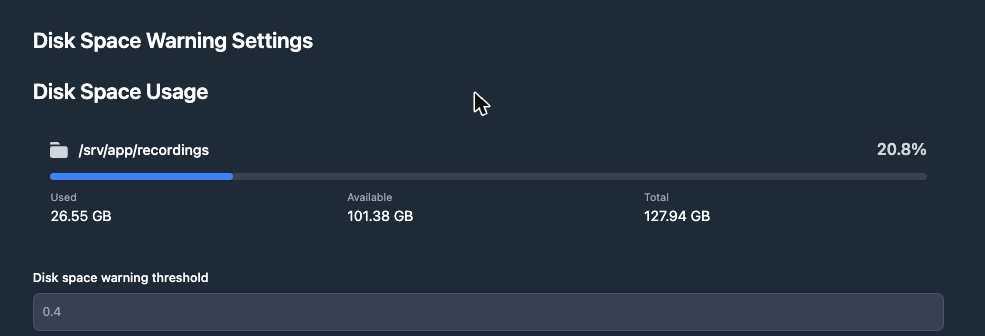
Site settings now show actual recording storage usage as cards with progress bars.
How to use it: open "Site Setting" in the sidebar and scroll to "Disk Space Warning Settings". You see used, available, and total space for the recordings directory. The threshold below is a fraction — 0.4 warns when free space drops under 40%.
Better search
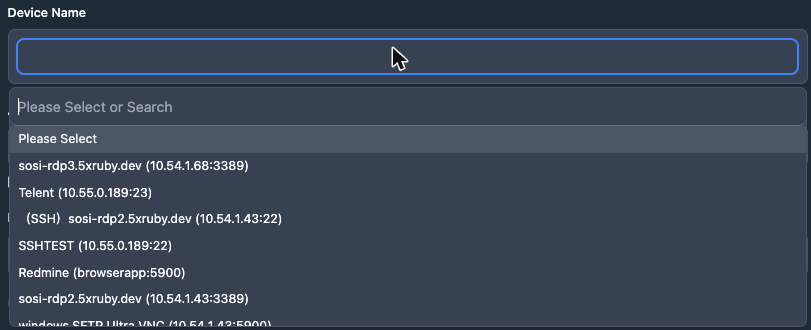
The device picker in access authorisation forms is now searchable and shows IP and port; the device list can be searched by name as well as IP or hostname.
How to use it: go to "Accessible Device List" → create, then click the Device Name field and type to filter. Each option is shown as name (IP:port), so devices with similar names are no longer confused. On the device list page, the search box accepts an IP or hostname directly.
More flexible watermarking
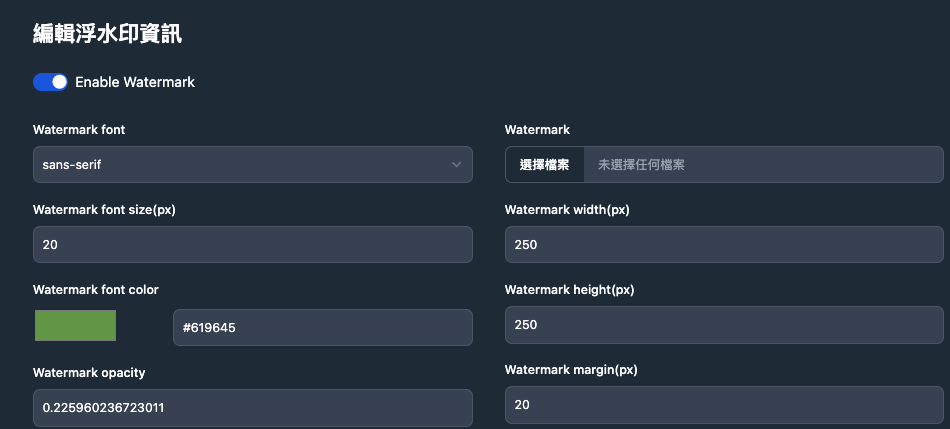
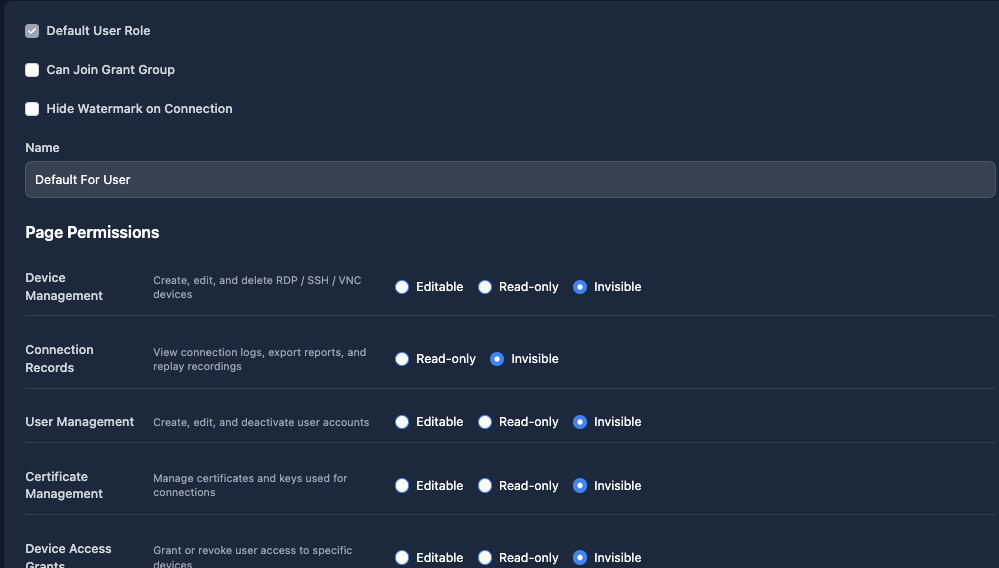
Watermarks can be waived per role, and the watermark image is now sized from your settings so it no longer covers the watermark text.
How to use it: open "Tenant setting" to adjust the text and image size, colour, opacity, and margin, with a live preview below. To exempt a role, edit it under "Role Permissions" and tick "Hide Watermark on Connection".
File transfer records can be toggled
Administrators choose whether "File transfer records" appears in the sidebar.
How to use it: toggle the setting under "Site Setting". Separately, "File transfer record visibility" under "Role Permissions" decides whether a role sees only its own uploads or everyone's records.
Clearer connection failure messages
When a connection fails because of SFTP configuration, SOSI says so directly instead of reporting a generic upstream error.
How to use it: nothing to configure — the message on the failure screen now tells you whether SFTP settings are the cause.
Fixes
- Force disconnect failed: forcibly ending a connection always failed and raised an error. It now works correctly.
- Stale connection state: connections that had already dropped could remain shown as "connected". Timed-out connections are now cleaned up automatically.
- Audit record noise: the periodic keep-alive during a session no longer creates an audit entry every minute.
- Audit coverage: changes to site settings and authentication methods are now audited.
- LDAP encryption: certificate settings were being ignored, and choosing "none" as the encryption method was still treated as an encrypted connection. Both are fixed.
- Disk monitoring silently broken: the recordings directory was not mounted correctly, which disabled both the low-space warning and the usage display.
- Permissions display: connection record permissions are now limited to "read only" and "hidden"; role permission forms no longer show authorisation options when authorisation groups are disabled.
- Connection list: tapping a user's name on mobile no longer opens a blank page.
- Language setting: switching language no longer reverts to the previous one.
- Other: device addresses now have surrounding whitespace trimmed, and some interface colours were corrected to match the design.
Maintenance and security
- Upgraded to Ruby 4.0.6 and Rails 8.1.
- Updated a number of dependencies to patch known security vulnerabilities.